Activity
A question of type activity allows you to start an activity for the user. The activity to start is defined in the options of the first answer.
After this question is answered the activity will be started.
{
"id": 0,
"label": "Break Time",
"description": "Description of the activity question",
"key": "activity",
"required": true,
"type": "activity",
"answers": [
{
"id": 0,
"label": null,
"nextQuestionId": 1,
"options": {
"icon": "@icon_break",
"code": 23,
"description": "@activitycode_break"
}
}
]
}
Answer Options
This chapter describes the option possibilities for an answer.
Name | Type | Description | Required | Default |
|---|---|---|---|---|
icon | string | Reference to the icon. | true | |
code | string | The code for the activity. | true | |
description | string | true |
Examples
Break activity example
This example shows a break activity. The user will get a follow-up question where they are asked how long the break was.
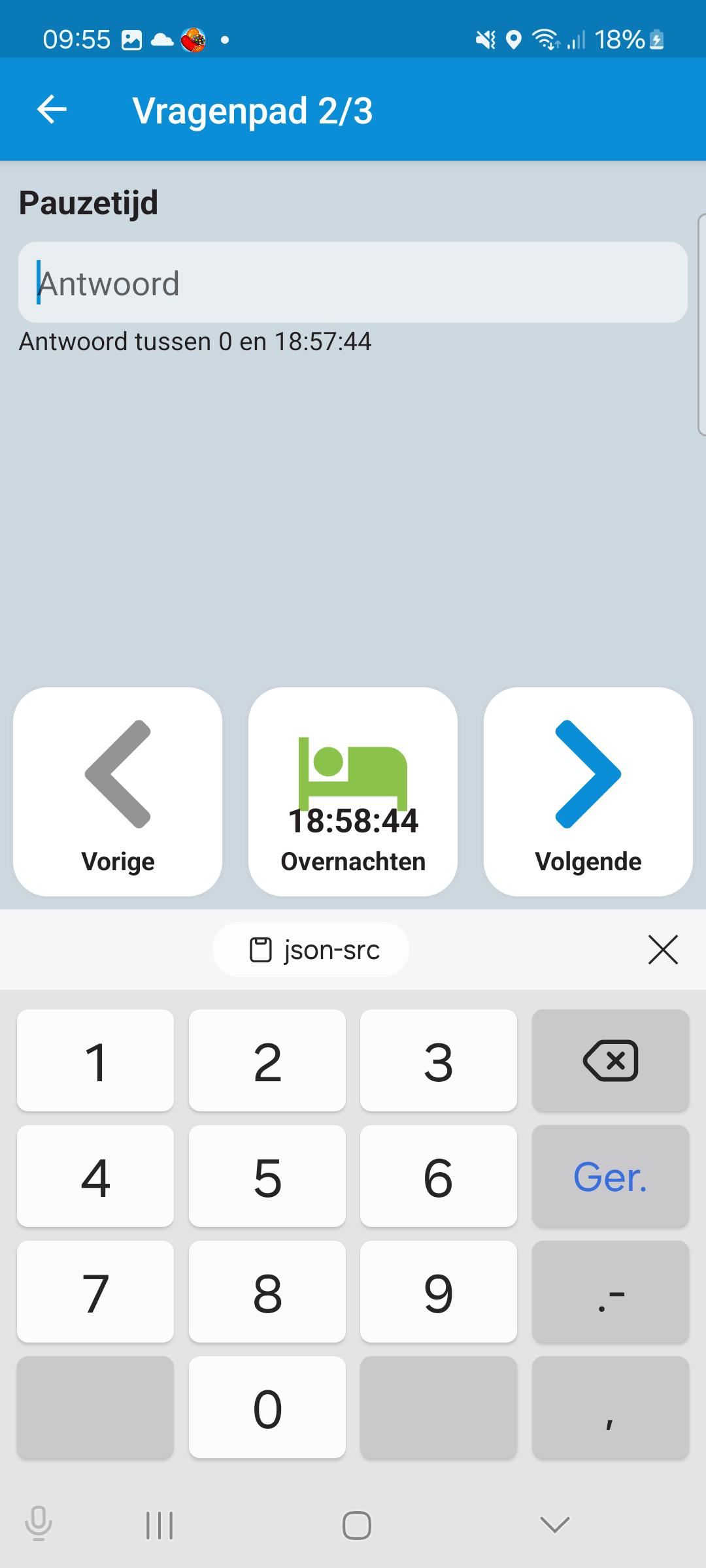
{
"id": 0,
"label": "Break Time",
"description": "Description of the activity question",
"key": "activity",
"required": true,
"type": "activity",
"answers": [
{
"id": 0,
"label": null,
"nextQuestionId": 1,
"options": {
"icon": "@icon_break",
"code": 23,
"description": "@activitycode_break"
}
}
]
}
Last modified: 04 June 2025