Grid
A question of type grid allows the user to select an answer from a grid. The tiles in the grid can be configured in the answers field.
{
"id": 1,
"key": "customer_satisfaction",
"label": "Are you happy with the provided service?",
"description": null,
"required": true,
"type": "grid",
"answers": [
{
"id": 0,
"value": "satisfied",
"label": "Satifsfied",
"nextQuestionId": 2,
"options": {
"icon": "faw-laugh",
"color": "green"
}
},
{
"id": 1,
"value": "neutral",
"label": "Neutral",
"options": {
"icon": "faw-meh",
"color": "yellow"
}
},
{
"id": 2,
"value": "unsatisfied",
"label": "Unsatisfied",
"options": {
"icon": "faw-angry",
"color": "red"
}
}
]
}
Answer Options
This chapter describes the option possibilities for an answer.
Name | Type | Description | Required | Default value | ||||||||||||||||
|---|---|---|---|---|---|---|---|---|---|---|---|---|---|---|---|---|---|---|---|---|
icon | String | The icon of the answer prefixed with the corresponding icon font. The table below describes all available icon fonts and how can they can be used:
| true | |||||||||||||||||
color | String | The color of the icon. The following options are available:
| false |
|
Examples
Example with three configured options with specific icons and colors
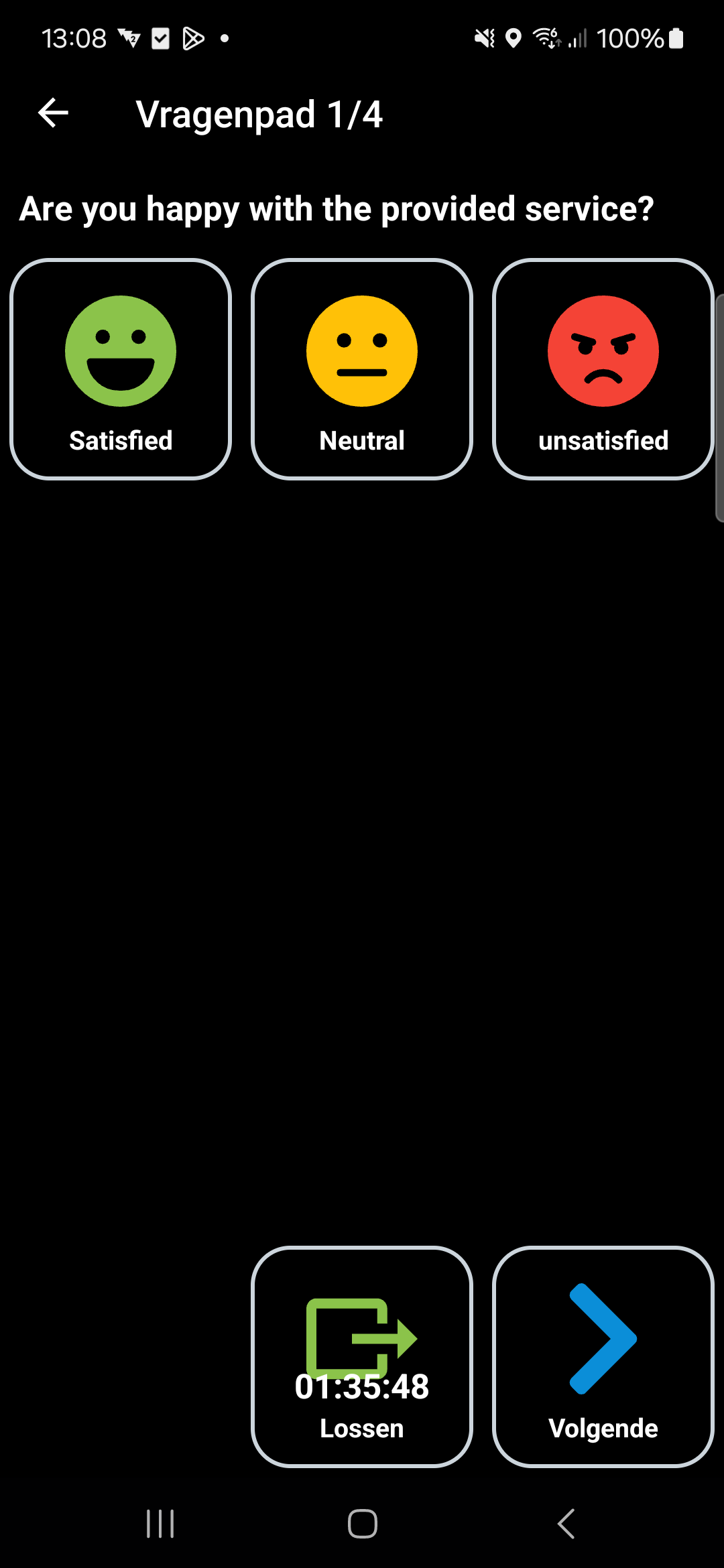
{
"id": 1,
"key": "customer_satisfaction",
"label": "Are you happy with the provided service?",
"description": null,
"required": true,
"type": "grid",
"answers": [
{
"id": 0,
"value": "satisfied",
"label": "Satifsfied",
"nextQuestionId": 2,
"options": {
"icon": "faw-laugh",
"color": "green"
}
},
{
"id": 1,
"value": "neutral",
"label": "Neutral",
"options": {
"icon": "faw-meh",
"color": "yellow"
}
},
{
"id": 2,
"value": "unsatisfied",
"label": "Unsatisfied",
"options": {
"icon": "faw-angry",
"color": "red"
}
}
]
}
Last modified: 26 May 2025