Signature
A question of type signature allows the user to draw a signature on their screen. This is useful when a signature is required for a document or form.
{
"id": 0,
"required": true,
"type": "sign_on_glass",
"key": "sign_on_glass_png",
"label": "Signature",
"description": null,
"answers": [
{
"id": 0,
"label": null,
"nextQuestionId": 1,
"options": {
"compressFormat": "PNG"
}
}
]
}
Answer Options
This chapter describes the option possibilities for an answer.
Name | Type | Description | Required | Default |
|---|---|---|---|---|
saveFullScreen | bool | If we need to save a screenshot of the entire screen. This can be useful when there is other information displayed on the screen. | false | false |
compressFormat | string | The type of compression.
| false | JPEG |
Examples
Signature example with compressFormat set to PNG
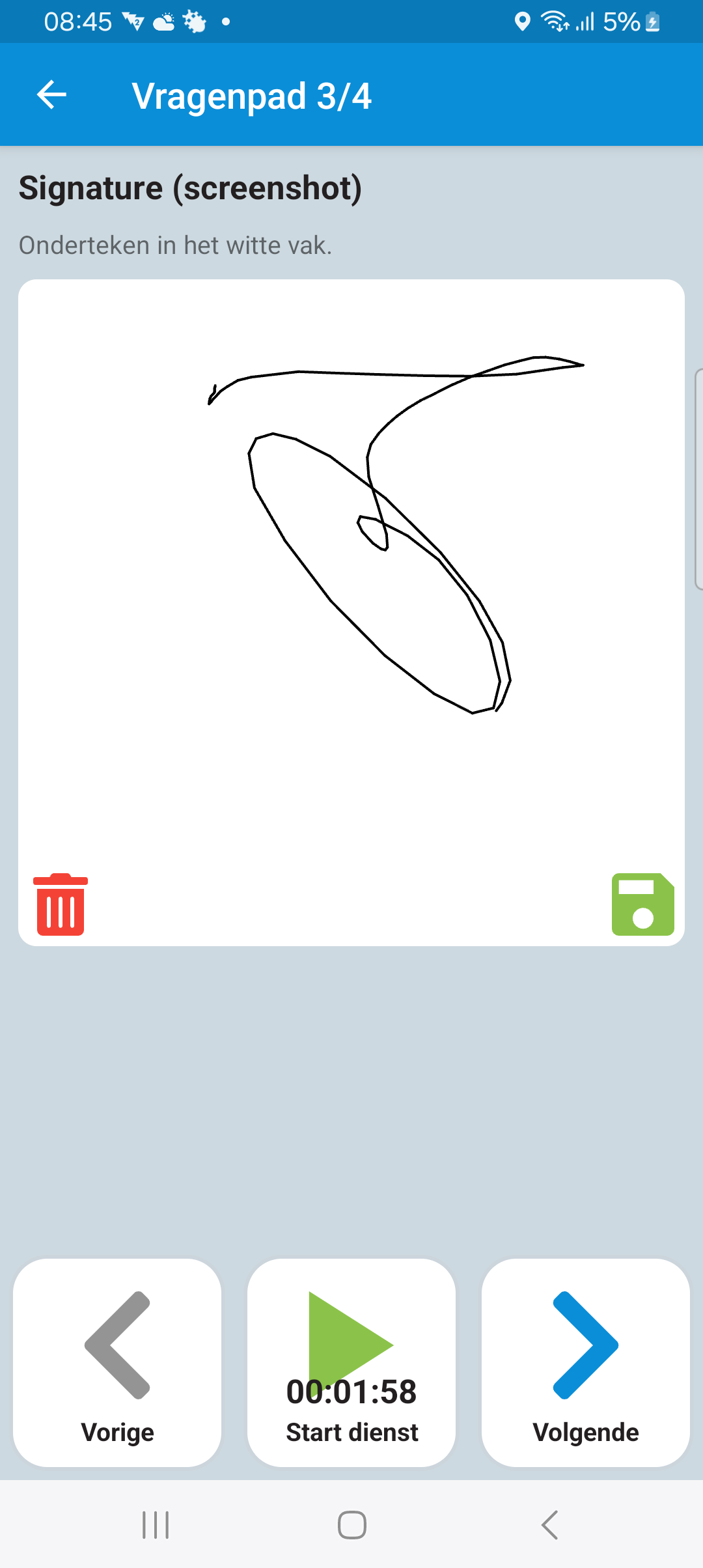
{
"id": 0,
"required": true,
"type": "sign_on_glass",
"key": "sign_on_glass_png",
"label": "Signature",
"description": null,
"answers": [
{
"id": 0,
"label": null,
"nextQuestionId": 1,
"options": {
"compressFormat": "PNG"
}
}
]
}
Signature example with saveFullScreen and no (defaults to ScreenShot) compressFormat defined

{
"id": 0,
"required": true,
"type": "sign_on_glass",
"key": "sign_on_glass_png",
"label": "Signature",
"description": null,
"answers": [
{
"id": 0,
"nextQuestionId": 1,
"options": {
"saveFullScreen": true
}
}
]
}
Last modified: 05 June 2025