Summary
A question of type summary can be used to display a summary of the answers given in the questionnaire. It is typically used at the end of a questionnaire to provide a summary of the user's input.
{
"id": 2,
"key": "summary",
"type": "summary",
"required": true,
"label": "Summary",
"answers": [
{
"id": 0,
"label": null,
"nextQuestionId": -1,
"options": {
"summaryItems": [
{
"type": "text_box",
"label": "text_box",
"checkoutKey": "text_box"
},
{
"type": "text_area",
"label": "text_area",
"checkoutKey": "text_area"
}
]
}
}
]
}
Answer Options
This chapter describes the option possibilities for an answer.
The summaryItems option is an array of objects that define the items to be displayed in the summary.
Name | Type | Description | Required | Default |
|---|---|---|---|---|
type | QuestionType | The type of the question. | true | |
label | String | The label for the summary. | true | |
checkoutKey | String | If this is defined, the answer that corresponds to the given question key will be shown. | false | |
value | String | The value to show, you can use this instead of the | false |
Examples
Example
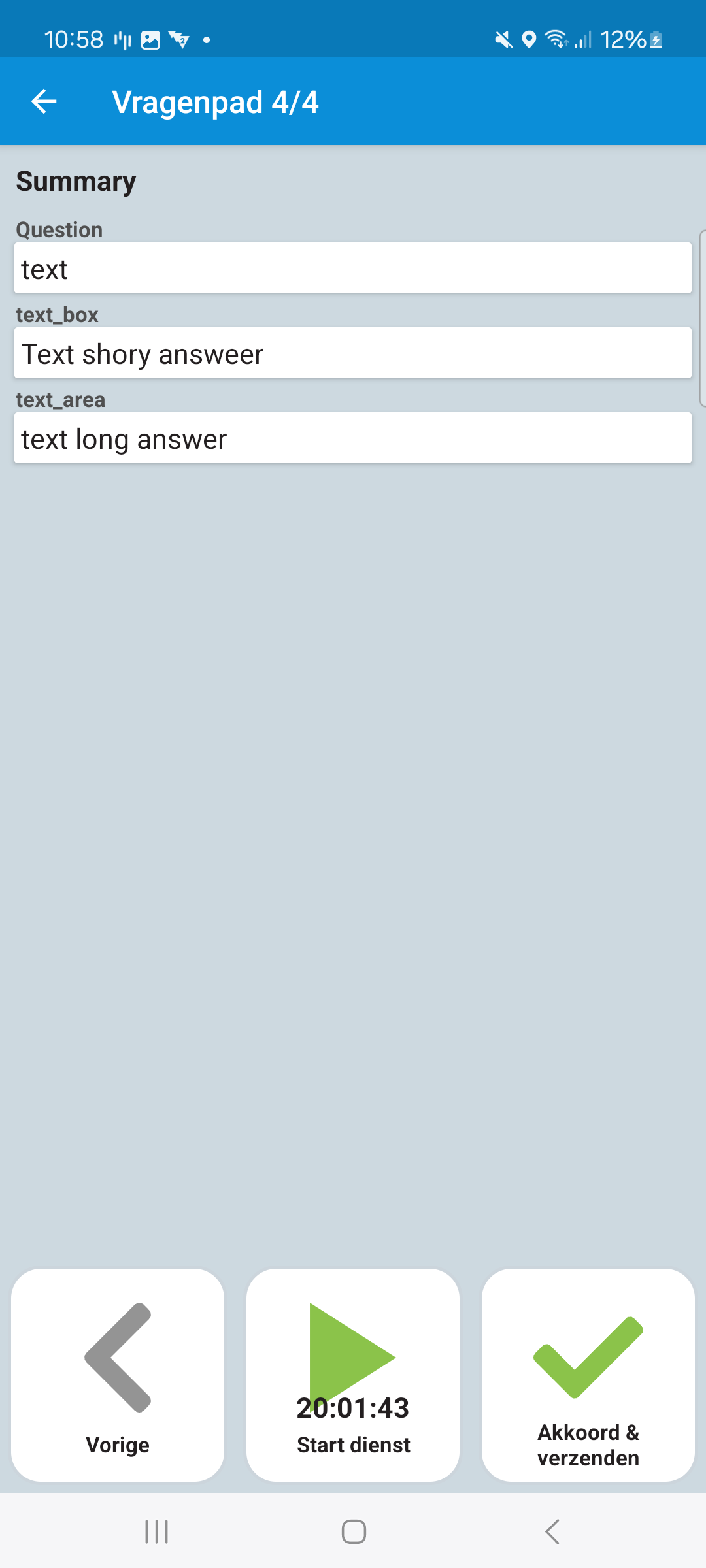
{
"id": 2,
"key": "summary",
"type": "summary",
"required": true,
"label": "Summary",
"answers": [
{
"id": 0,
"label": null,
"nextQuestionId": -1,
"options": {
"summaryItems": [
{
"type": "text_box",
"label": "text_box",
"checkoutKey": "text_box"
},
{
"type": "text_area",
"label": "text_area",
"checkoutKey": "text_area"
}
]
}
}
]
}
Last modified: 05 June 2025