Dropdown
A question of type dropdown allows the user to select a value from a given list of options.
{
"id": 0,
"type": "dropdown",
"key": "license_country_code",
"label": "Country",
"required": true,
"answers": [
{
"id": 0,
"label": "NL",
"nextQuestionId": 1,
"value": "nl"
},
{
"id": 1,
"label": "DE",
"nextQuestionId": 5,
"value": "de"
}
]
}
Answer Options
This chapter describes the option possibilities for an answer.
Name | Type | Description | Required | Default |
|---|---|---|---|---|
id | int | The id of the option | true | |
label | string | The label of the option | true | |
nextQuestionId | int | When the answer is submitted this will be the next question. use -1 to close the questionnaire. | true | |
value | string | The key that is used to save the answer. | true |
Examples
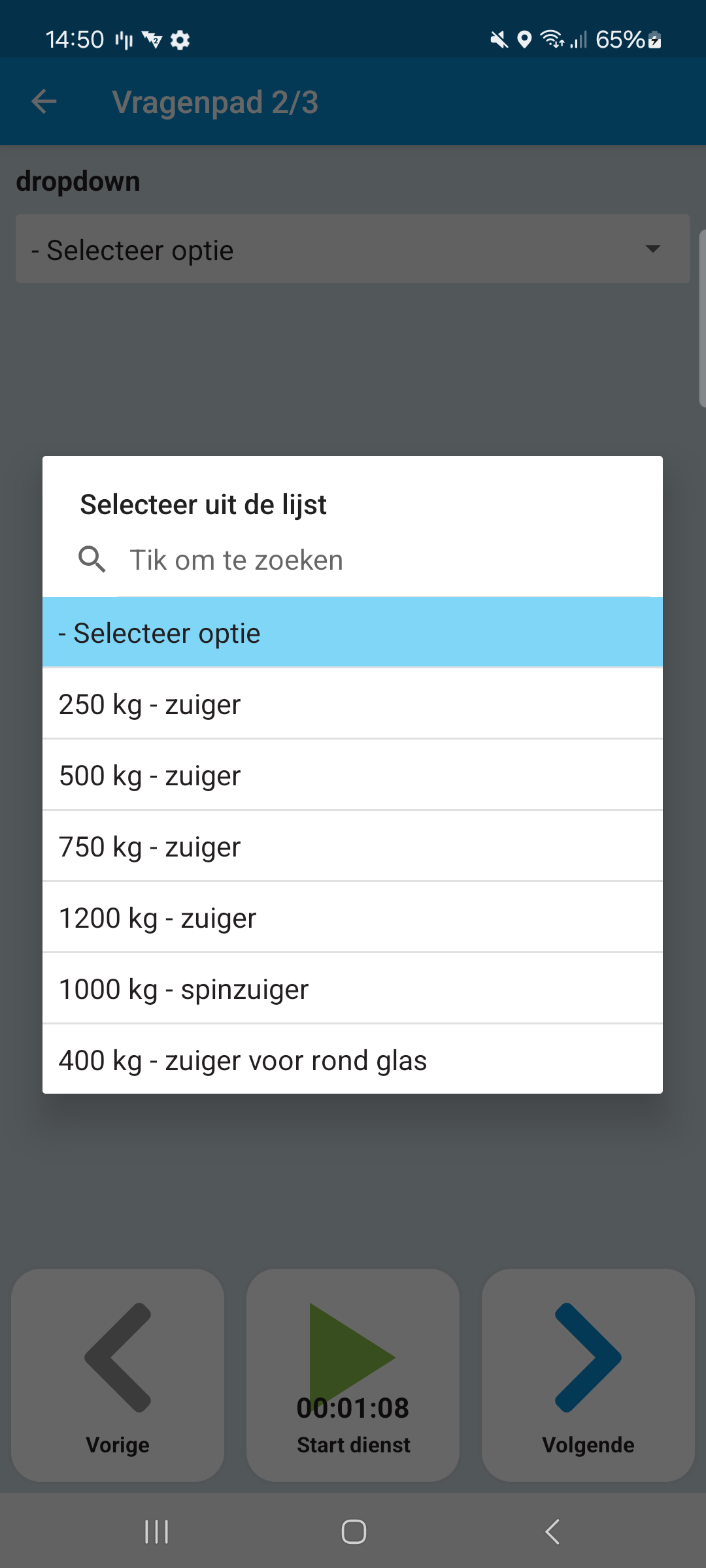
{
"id": 0,
"type": "dropdown",
"key": "license_country_code",
"label": "Country",
"required": true,
"answers": [
{
"id": 0,
"label": "NL",
"nextQuestionId": 1,
"value": "nl"
},
{
"id": 1,
"label": "DE",
"nextQuestionId": 5,
"value": "de"
}
]
}
Last modified: 04 June 2025