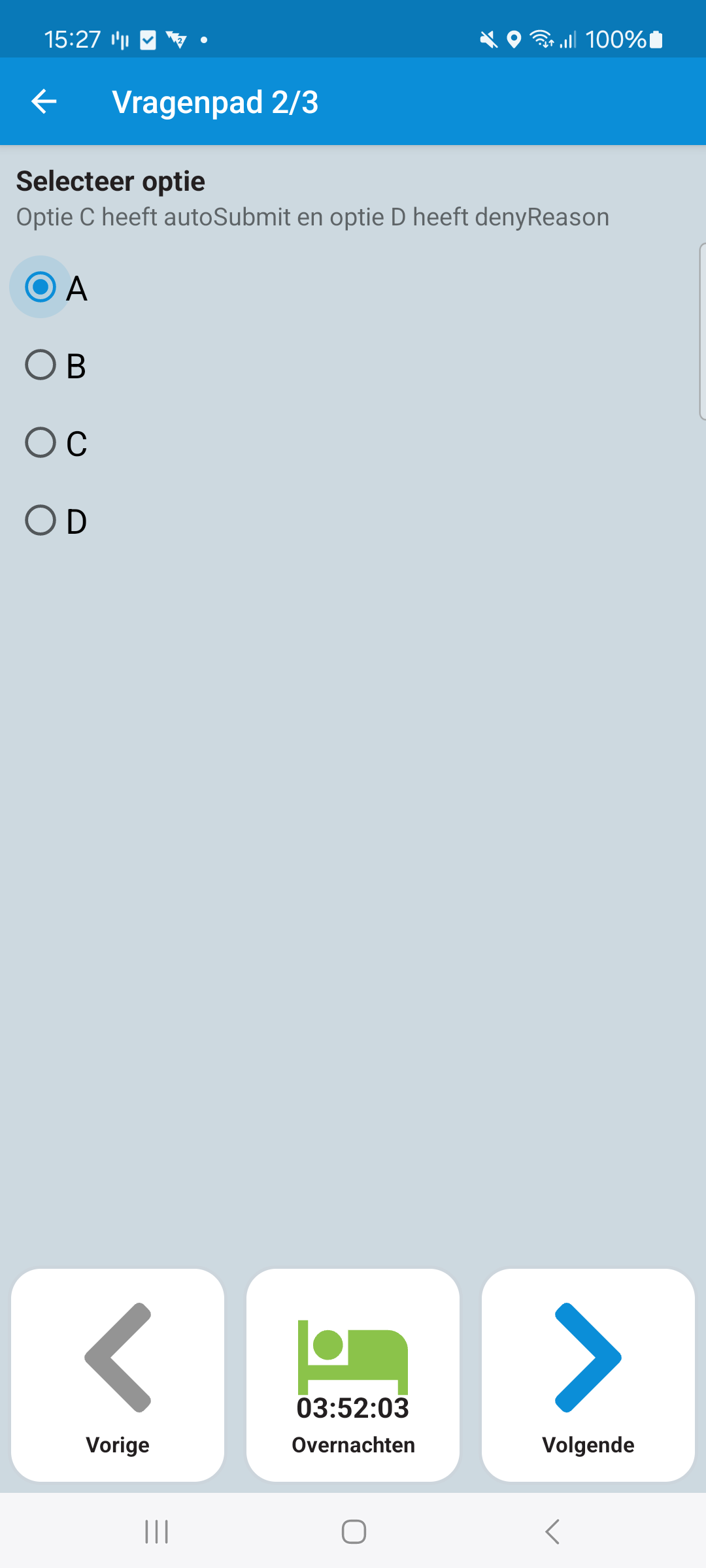
Radio
A question of type radio allows the user to select one option. This can be useful for yes/no questions.
{
"id": 0,
"required": true,
"key": "radio",
"type": "radio",
"label": "Select option",
"description": "Option C has autoSubmit and Option D has a denyReason",
"answers": [
{
"id": 0,
"label": "A",
"value": "A"
},
{
"id": 1,
"label": "B",
"value": "B"
},
{
"id": 2,
"label": "C",
"options": {
"autoSubmit": true
},
"nextQuestionId": 6,
"value": "C"
},
{
"id": 3,
"label": "D",
"nextQuestionId": 1,
"options": {
"denyReason": "This option is not allowed to be selected"
},
"value": "D"
}
]
}
Question Options
This chapter describes the question options for the question of type radio.
Name | Type | Description | Required |
|---|
id | int | The id of the question. | true |
nextQuestionId | int | The id of the next question to be shown after this question. | true |
label | string | The text that is displayed to the user. | true |
Answer Options
This chapter describes the option possibilities for an answer.
Name | Type | Description | Required | Default |
|---|
autoSubmit | bool | If true, the app will automatically submit the answer and continue to the next question in the questionnaire. | false | false |
denyReason | String | If this radio button is selected and the user tries to continue to the next question, then the app will give the user a toast with the given denyReason. | false | |
Examples
Optional
{
"id": 0,
"required": true,
"key": "radio",
"type": "radio",
"label": "Select option",
"description": "Option C has autoSubmit and Option D has a denyReason",
"answers": [
{
"id": 0,
"label": "A",
"value": "A"
},
{
"id": 1,
"label": "B",
"value": "B"
},
{
"id": 2,
"label": "C",
"options": {
"autoSubmit": true
},
"nextQuestionId": 6,
"value": "C"
},
{
"id": 3,
"label": "D",
"nextQuestionId": 1,
"options": {
"denyReason": "This option is not allowed to be selected"
},
"value": "D"
}
]
}
Last modified: 04 June 2025